> For the complete documentation index, see [llms.txt](https://docs.gap.karmahq.xyz/llms.txt). Markdown versions of documentation pages are available by appending `.md` to page URLs; this page is available as [Markdown](https://docs.gap.karmahq.xyz/how-to-guides/partners/octant.md).
# Octant
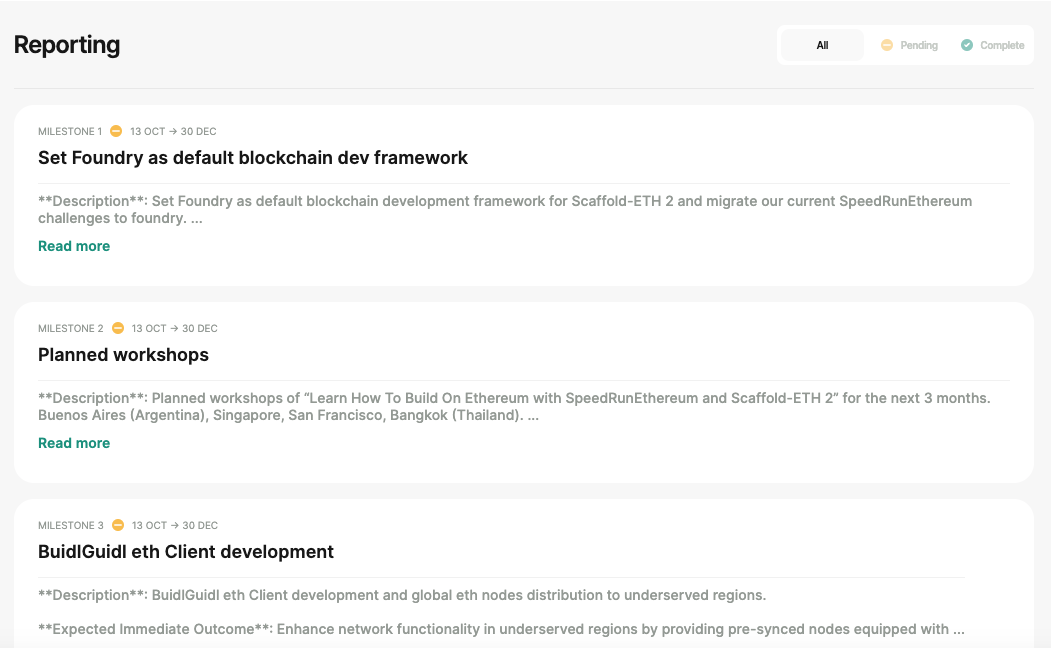
[**Octant**](https://octant.app/projects) **has integrated Karma into their application.** Project milestones added in Karma will now be automatically displayed on the corresponding project pages in Octant. For example, here is a project on [Karma](https://gap.karmahq.xyz/project/-buidlguidl/grants/0x674ed25e9616b5c4237c6295b87f32cca42e74e7cc087e071a9c80c4e279fe91/milestones-and-updates) with milestones that are also visible in [Octant](https://octant.app/project/5/0x00080706a7D99CBC163D52dcF435205B1aD940D1), ensuring seamless updates and visibility in both platforms.
**If you don't see your Epoch specific milestones in Octant, follow the steps below to link Karma grant to Octant's Epoch.**
## Step 1
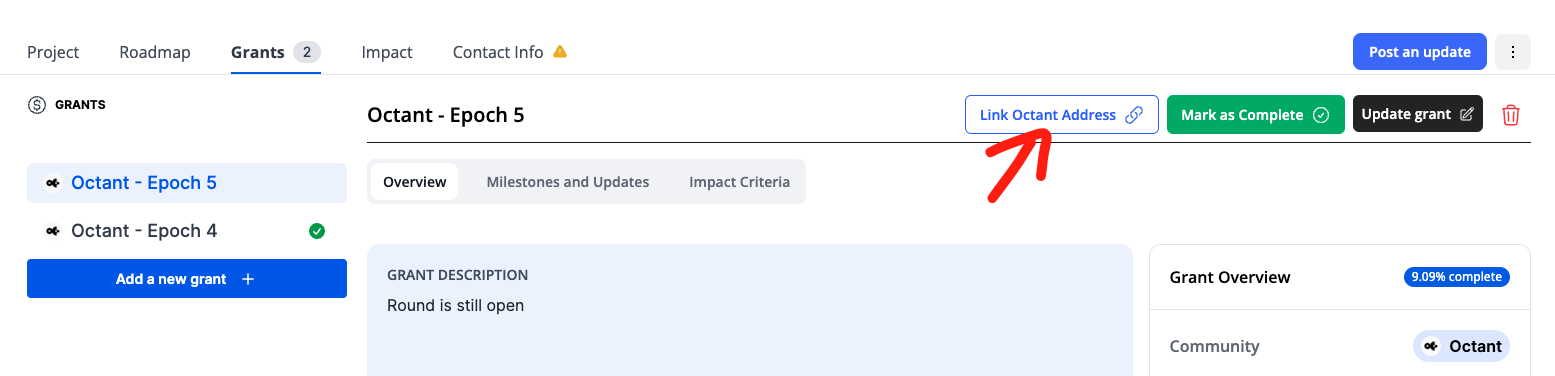
Login to your Karma profile and navigate to your Octant Epoch grant and click on the "Link Octant Address" button.
## Step 2
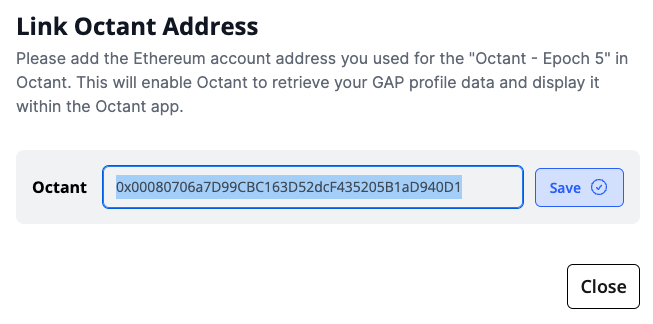
Enter the wallet address you used to sign up for that specific Octant Epoch and save.
You should now be able to see your milestones in Octant application.
**If you still don't see the milestones, contact us on** [**Telegram**](https://t.me/karmahq) **or** [**Discord**](https://discord.com/invite/X4fwgzPReJ) **and we will be glad to assist you.**