> For the complete documentation index, see [llms.txt](https://docs.gap.karmahq.xyz/llms.txt). Markdown versions of documentation pages are available by appending `.md` to page URLs; this page is available as [Markdown](https://docs.gap.karmahq.xyz/how-to-guides/for-reviewers/application-review-guide.md).
# Application Review Guide
Application reviewers are responsible for evaluating incoming grant applications and making approve/reject decisions. This guide walks you through the review process step by step.
#### Getting Started
**Step 1: Log In**
Go to [www.karmahq.xyz](http://www.karmahq.xyz/) and click the **Login** button in the top right corner.
**Step 2: Access Your Reviews**
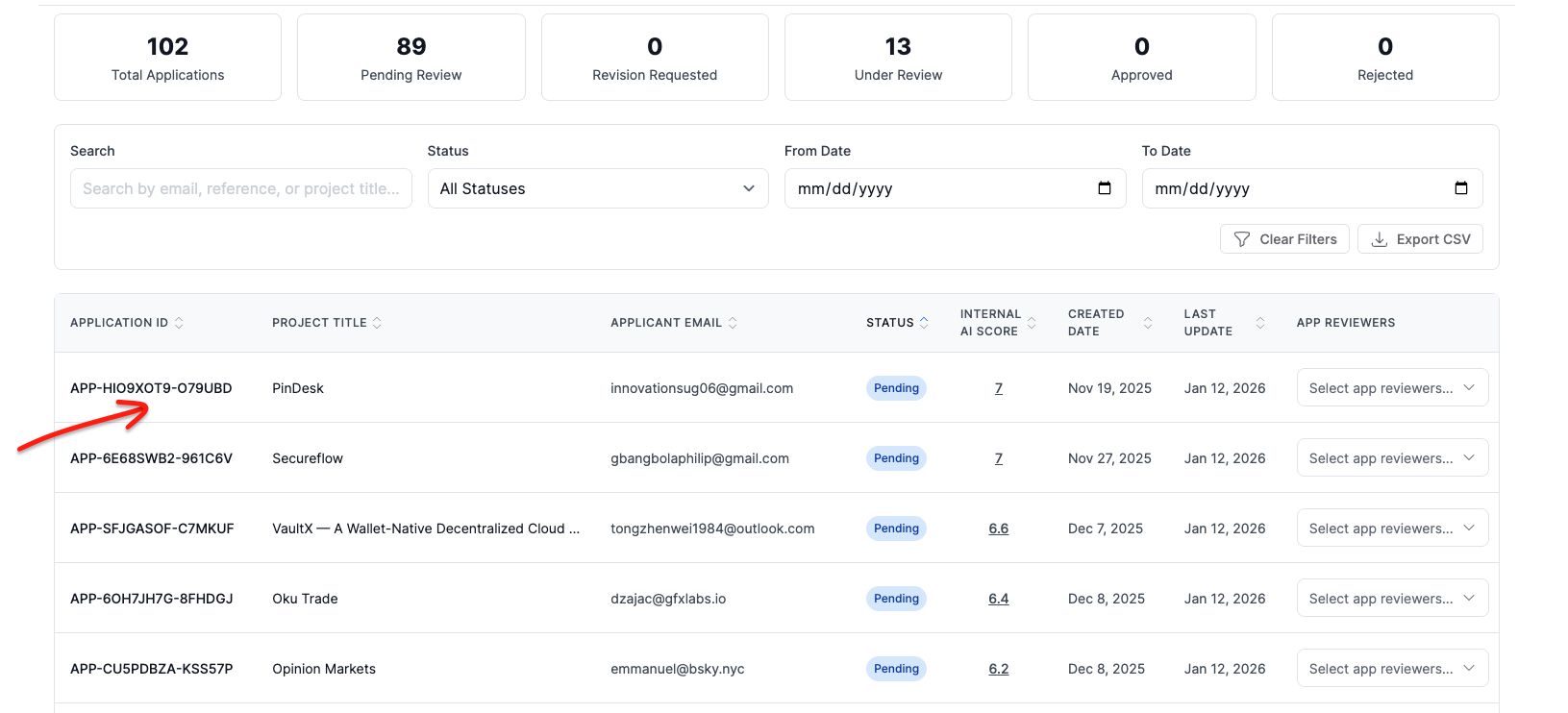
Click \[**Review]\(**[**https://www.karmahq.xyz/my-reviews**](https://www.karmahq.xyz/my-reviews)**)** in the header navigation. This displays all applications in the program for review.
*Note: If you don't see the My Reviews link, contact your grant program administrator to ensure you've been added as a reviewer.*
#### Reviewing Applications
**Step 3: Open an Application**
Navigate to the program you are reviewing and click on any application to view its full details, including:
* Applicant information and proposal
* AI evaluation summary
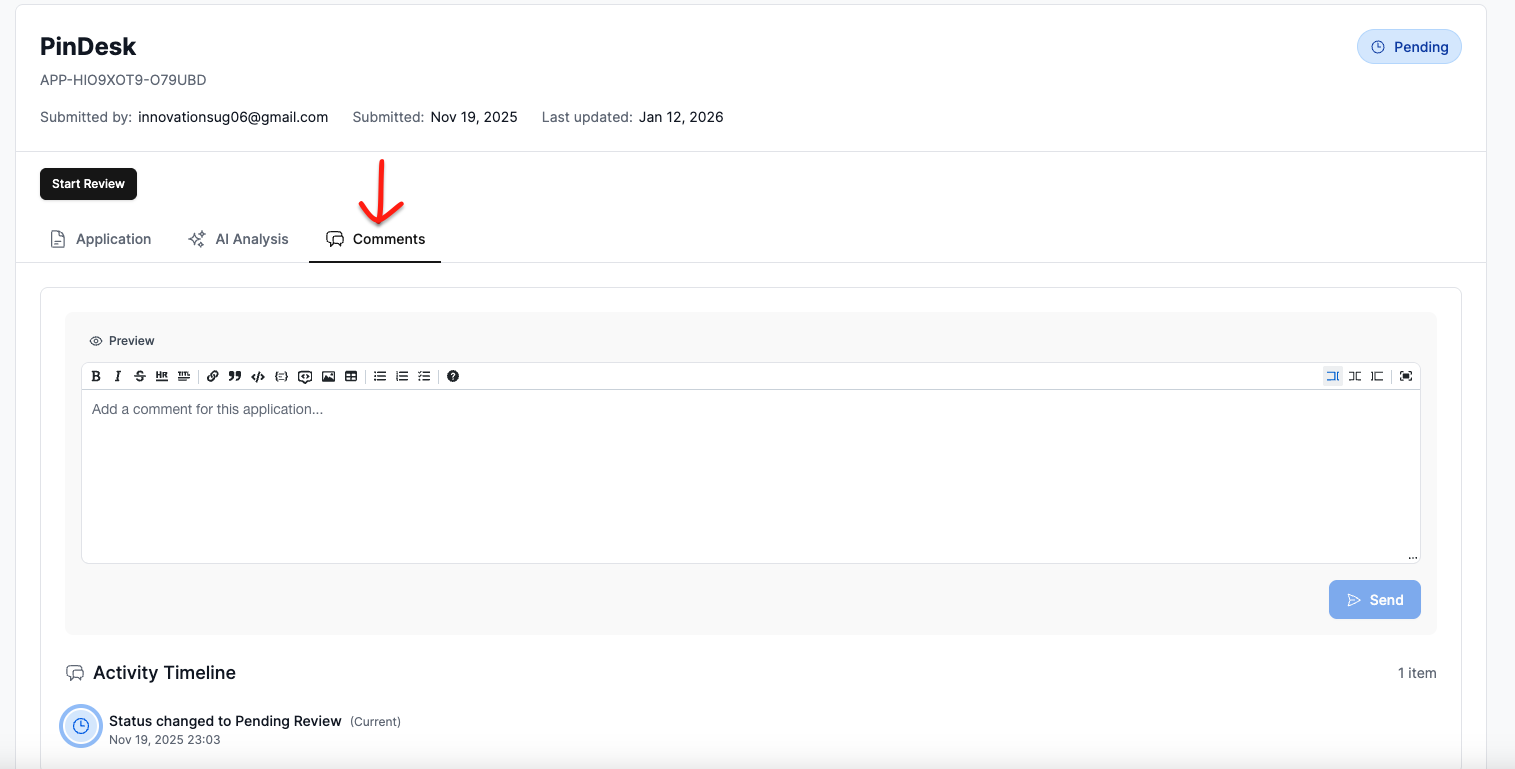
* Comment thread
**Step 4: Start Your Review**
When you're ready to begin, click the **Start Review** button. This notifies the applicant via email that their application is under active review, helping set expectations and keep them informed.
**Step 5: Ask Questions (If Needed)**
If you need clarification from the applicant, use the **Comments** section. Applicants receive email notifications when you post a comment, and you'll be notified when they respond.
#### Making a Decision
**Step 6: Approve or Reject**
Once you've reached a decision, click **Approve** or **Reject**. You'll be prompted to provide reasoning—we encourage you to be as detailed as possible, as this feedback is valuable to applicants regardless of the outcome. Also, confirm the final amount that is approved.
**Step 7: Applicant Notification**
The applicant is automatically notified of your decision. If approved, they'll receive any post-approval instructions configured by the grant administrator.