> For the complete documentation index, see [llms.txt](https://docs.gap.karmahq.xyz/llms.txt). Markdown versions of documentation pages are available by appending `.md` to page URLs; this page is available as [Markdown](https://docs.gap.karmahq.xyz/how-to-guides/partners/unicef.md).
# UNICEF
The UNICEF Venture Fund provides funding to projects on a biannual basis. Funded projects are required to create a Karma project profile, add funding details, define milestones, and share progress updates regularly. Below you'll find step-by-step instructions for completing each of these tasks.
## Follow the step by step instructions
### Step 1: Create your project profile
**Use your email address or google oauth to login to Karma. Your project information is stored on blockchain. Karma will pay the blockchain fees on your behalf.**
Follow the instructions [here](/how-to-guides/for-builders/create-project.md) to create your onchain project profile. You only need to create this once and can reuse it for future funding rounds. This public profile allows supporters to learn about your project, follow your progress, endorse your work, and contact you.
{% hint style="info" %}
The title of your project should just be project name. It should not include the grant name because this is a profile you can use in the future for other funding opportunities.
{% endhint %}
### Step 1.1: Add your contact info
During project creation or when updating your project, you can add or edit your contact information. Please ensure this is complete, as it will be used for important communications.
### Step 2: Add your funding details
Next, add details about the funding you received from UNICEF.
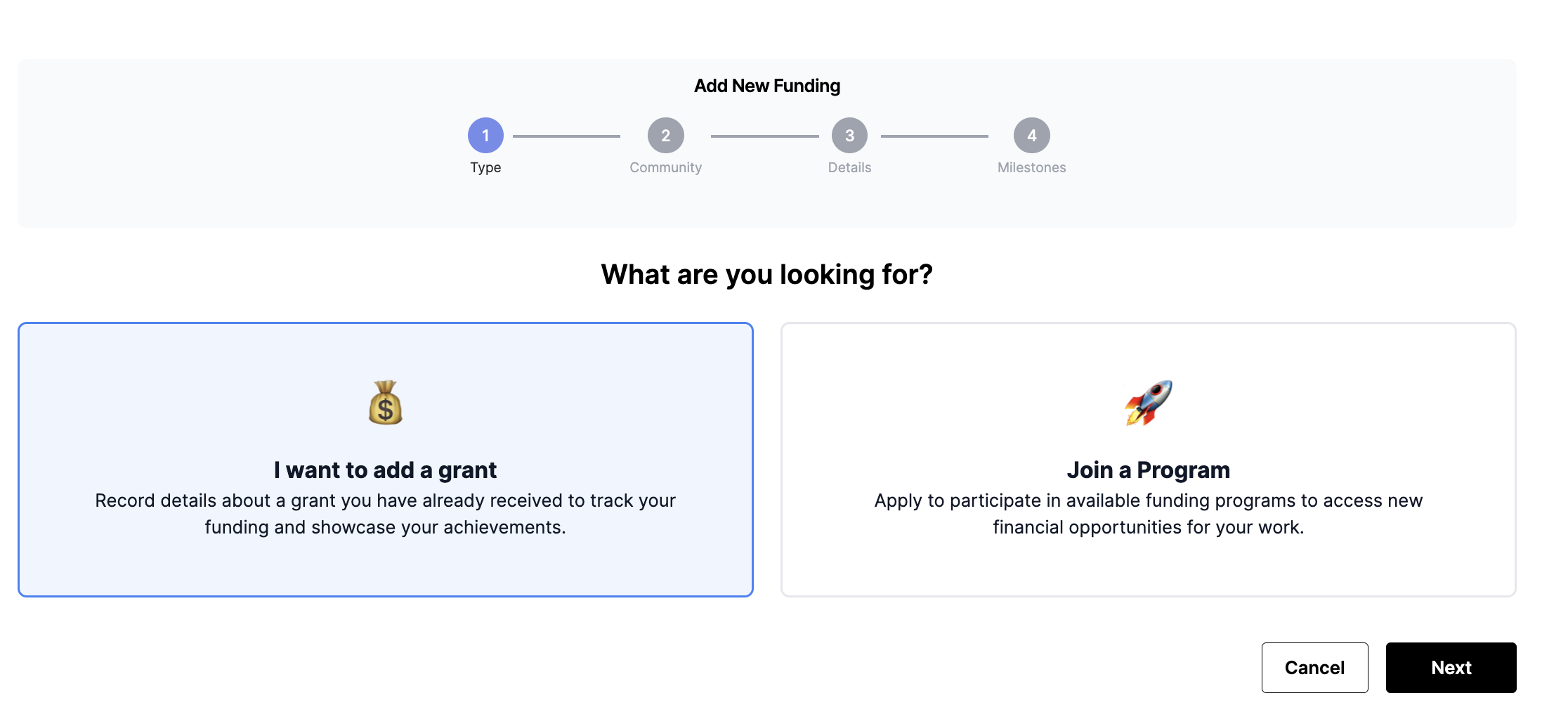
1. Navigate to the **Funding** tab in your project, click **Add Funding**, and select **I want to add a grant**
2. Select UNICEF Venture Fund community from dropdown and choose the appropriate program.
3. Add milestones describing what you plan to accomplish. You can add as many milestones as needed.

4. Click create and an onchain transaction will be executed.
### Step 3: Submit milestone updates
As you complete your work, submit updates for each milestone and mark them as complete.
### Step 4: Final project submission
At the end of the funding cycle, mark the grant as complete and submit a link to all assets (such as logos, screenshots, and other deliverables).